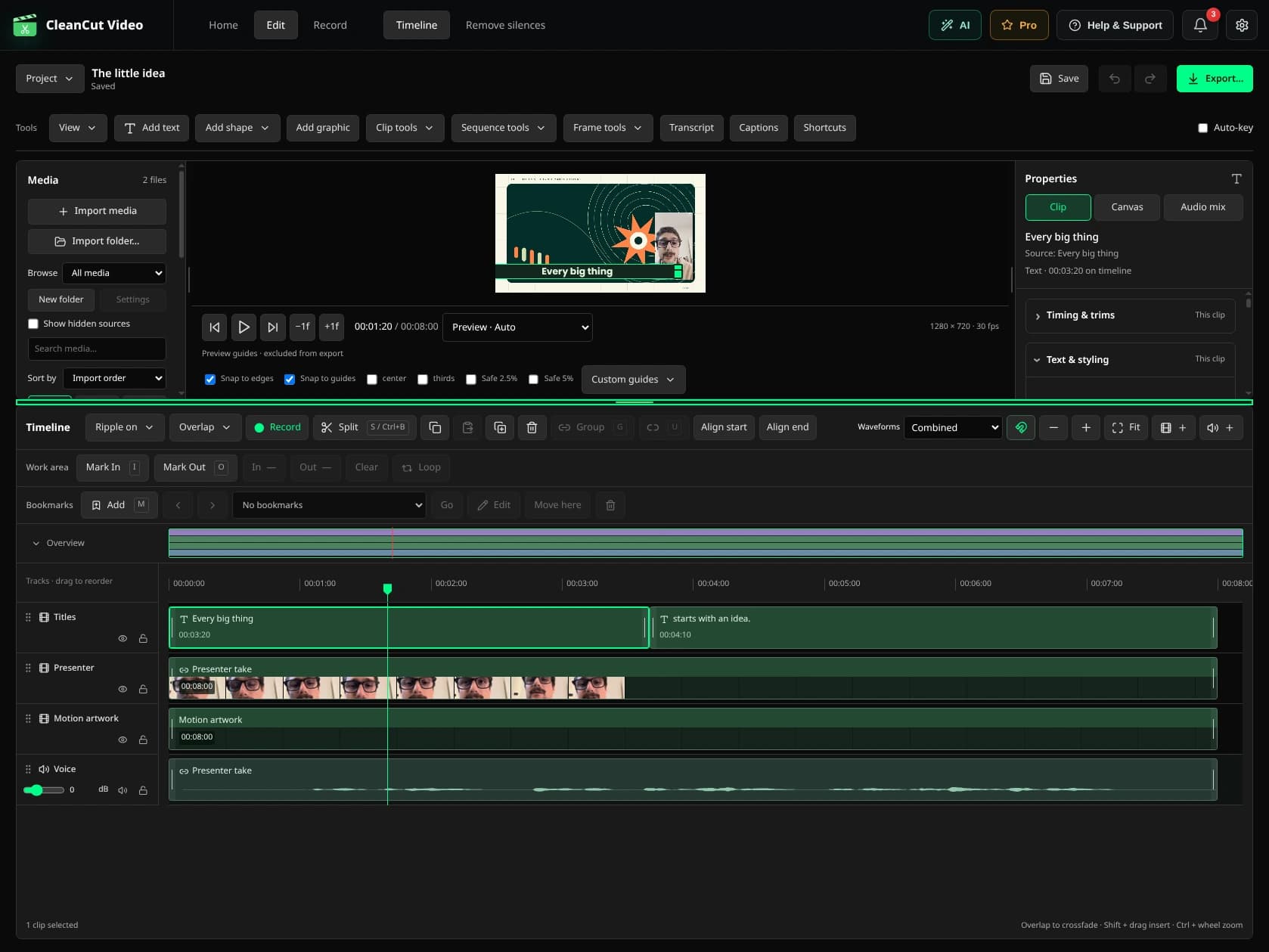
Build the first version.
- Open Edit from the CleanCut home screen and start a new project.
- Import your video files in the intended order. Check the canvas size and frame rate before you start.
- Select a clip to trim its source range, split it at the playhead or move it. Keep the voice and picture linked.
- Choose Add text, write a short title and set its duration. Adjust size, stroke and background in Text.
- Open Sound effects to preview a sound and add it at the playhead. Keep it below the voice and add fades when needed.
- Play the cuts with audio, save the .cleancut project and export MP4 to a new destination.
A project and an export do different jobs.
The MP4 is for watching and sharing. The project stores your clips and edit settings so you can change them later. Keep the source files accessible and save your project before reorganizing media folders.