Remove Dead Air from Podcasts Automatically
Make your podcast episodes tighter and more engaging without hours of manual editing.
Why Remove Dead Air from Podcasts?
Dead air kills podcast engagement. Long pauses, awkward silences, and "umm" moments make listeners lose interest. Removing these sections makes your content feel more professional and keeps listeners engaged. CleanCut can reduce your episode length by 10-30% while maintaining natural pacing.
What is "Dead Air" in Podcasting?
Dead air refers to any period of silence or near-silence in your podcast recording. Common sources include:
- Long pauses while thinking of what to say next
- Silence before and after the recording starts/stops
- Gaps when switching between speakers
- Moments when everyone is waiting for someone else to speak
- Technical pauses (muting, adjusting equipment, etc.)
Step-by-Step: Clean Your Podcast
Import your podcast recording
Open CleanCut Video and import your podcast audio or video file. Works with MP3, WAV, MP4, MOV, and other formats.
Adjust settings for speech content
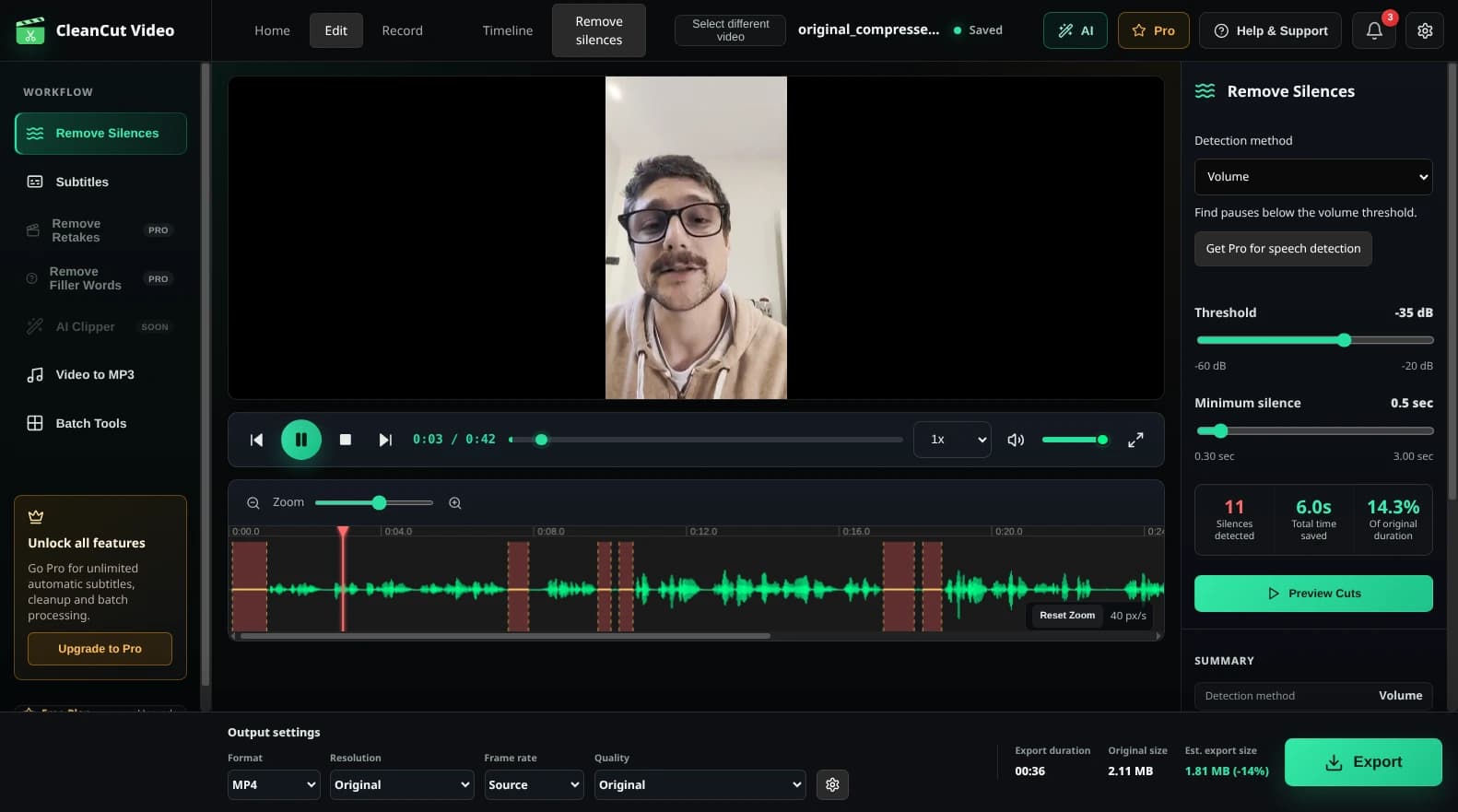
For podcasts, set the silence threshold to around -35dB to -40dB and minimum duration to 0.5-1.0 seconds to catch natural pauses without cutting mid-sentence.
Detect and review silences
Click 'Detect Silences' and review the highlighted sections. Listen to a few to ensure they're actual dead air and not intentional pauses.
Add padding for natural flow
Add 0.2-0.3 seconds of padding to keep some breathing room between sentences. This prevents the podcast from feeling too rushed.
Export your cleaned episode
Export the final file. Your podcast will be 10-30% shorter on average, making it more engaging for listeners.
Best Practices for Podcast Editing
Don't remove ALL pauses
Natural conversation includes brief pauses. Only remove pauses longer than 0.5-1.0 seconds. Shorter pauses help the podcast breathe and feel conversational.
Use padding
Always add 0.2-0.3 seconds of padding before and after speech. This prevents jarring cuts and maintains natural rhythm.
Listen before exporting
Preview a few sections to make sure the pacing feels right. Adjust threshold and padding if cuts feel too aggressive or too conservative.
Keep intentional pauses
If a pause is for dramatic effect or to let information sink in, manually exclude it from removal. CleanCut lets you fine-tune which silences to keep.
Ready to Clean Up Your Podcast?
Download CleanCut Video and start producing tighter episodes in minutes.
Common Questions
Will this work with multi-track recordings?
CleanCut works best with mixed/mastered audio. If you have separate tracks for each speaker, mix them down first, then use CleanCut to remove dead air.
How much time will this save me?
Manual podcast editing can take 3-4x the episode length. CleanCut reduces this to minutes - typically 5-10 minutes for a 1-hour episode.
Can I use this for video podcasts?
Absolutely! CleanCut works with video files too. It removes silence from both audio and video tracks simultaneously.